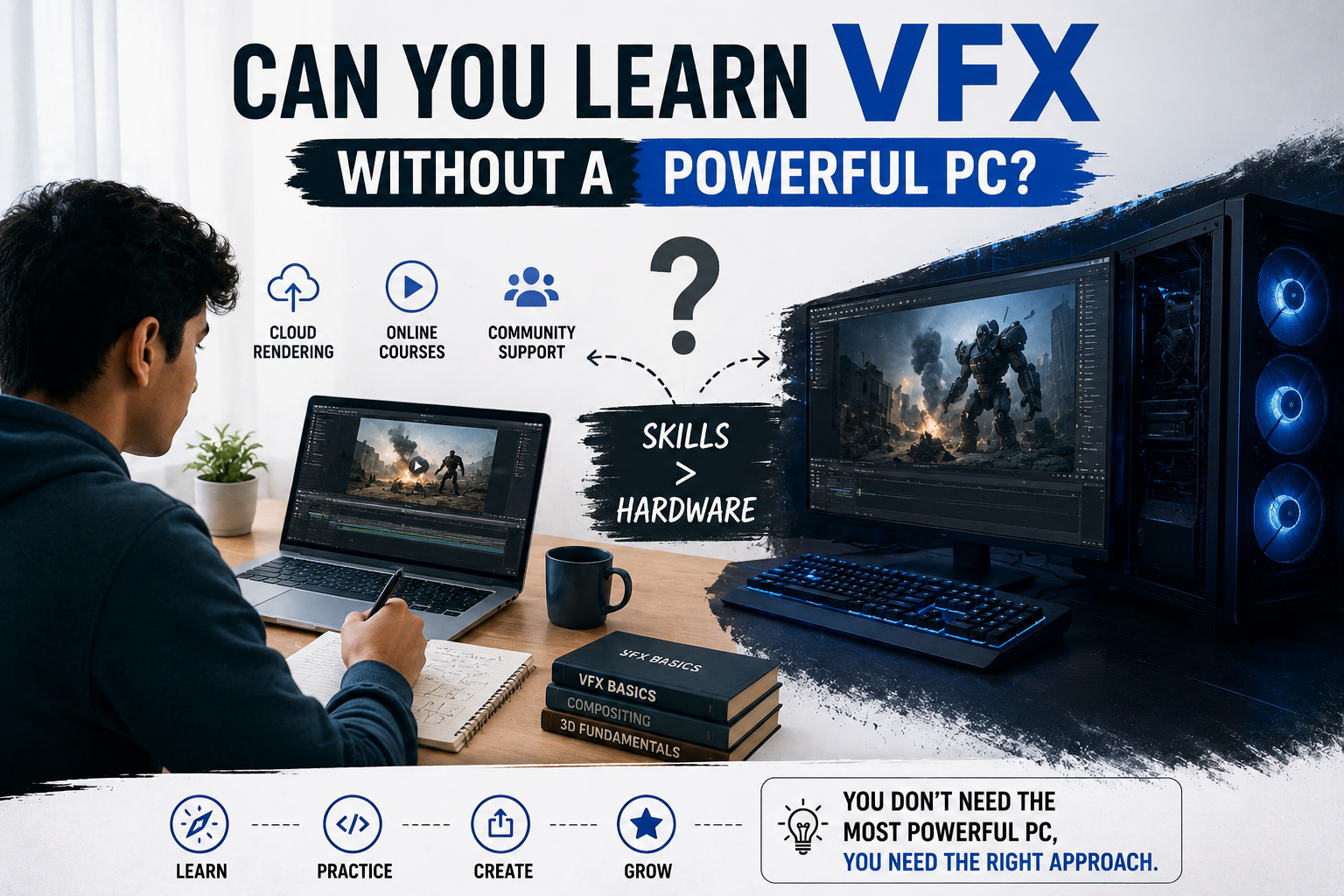

The Truth About Starting a Career in VFX Without an Expensive Setup
One big myth about learning VFX is that you need a pricey computer to get started.
When I scroll through YouTube videos or online forums, it seems like all the VFX artists have high-end PCs with fancy graphics cards, huge monitors, and costly editing setups.
This can be super discouraging for students who want to pursue careers, especially in VFX.
Students often feel like they can’t compete without a top-notch computer.
The truth is, you can start learning VFX with a basic computer setup.
Many students have successfully learned VFX. Built a career in the field without breaking the bank.
The key is to focus on learning the skills and software, not the equipment.
VFX software and tools can be used on lower-end computers. You can always upgrade later.
So don’t let the misconception that you need a computer hold you back from pursuing your passion for VFX. Many students who want to explore animation and VFX delay their learning because they think their laptop or computer is “not good enough.” Others wonder if pursuing an animation and visual effects degree course is realistic without investing in equipment first.
The truth is, it’s not that complicated.
Yes, powerful systems do matter in the VFX industry for advanced projects and professional production pipelines. That doesn’t mean beginners can’t start learning without a high-end setup.
Many students who are currently pursuing a BSc in Animation and VFX start their journey using systems and then upgrade later.
The important thing is to understand what requires high-performance hardware. What can be learned comfortably on a mid-range computer?
Why People Think VFX Requires an Expensive PC
The VFX industry is associated with software and complex rendering workflows. Students see behind-the-scenes videos from films, gaming studios, or animation companies where professionals work on powerful machines handling massive projects.

This creates the impression that learning VFX itself is impossible without similar hardware.
Software requirements also play a part. Popular VFX tools like Blender, Maya, Houdini, Nuke, and After Effects can be demanding when working on scenes, simulations, or high-resolution renders.
Beginners aren’t creating Hollywood-level effects during the early stages of learning.
Most students start with basics like:
- Understanding animation principles
- Learning compositing
- Practicing simulations
- Working on motion graphics
- Creating beginner-level 3D scenes
- Exploring lighting and rendering fundamentals
- These activities are much lighter compared to production work.
What You Can Learn on a range PC
The honest answer is that students can learn a surprisingly large portion of VFX fundamentals on an average or moderately capable computer.
For example, beginners can comfortably practice:
- Basic 3D modelling
- Texturing
- Animation fundamentals
- Compositing basics
- Motion graphics
- Lighting techniques
- Camera movement
- Simple particle effects
- Editing workflows
Software like Blender is especially beginner-friendly because it allows students to explore areas of animation and VFX without needing expensive hardware.
Many students pursuing a BSc in Animation and VFX start by learning software navigation, animation principles, and visual storytelling before moving into technical workflows.
At the beginner stage, understanding concepts matters more than rendering scenes.
A student with creative understanding and practical fundamentals will always progress further than someone who owns an expensive PC but lacks consistency or learning discipline.
Where a Powerful PC Actually Becomes Important

This doesn’t mean hardware is irrelevant.
As students move toward advanced-level projects, system limitations become more noticeable. Complex rendering, simulations, and high-resolution workflows demand processors, stronger GPUs, and more RAM.
A powerful system becomes especially important when working on:
- Large-scale 3D environments
- Fluid or smoke simulations
- High-resolution rendering
- Heavy compositing projects
- Professional CGI workflows
- Time rendering pipelines
- Large animation scenes
At this stage, faster systems help reduce rendering time and improve workflow efficiency.
However, most students only reach this level after months or even years of learning. By then, they usually have a clearer understanding of which hardware upgrades matter for their specialization.
The Bigger Problem Most Beginners Ignore
Interestingly, hardware is usually not the reason beginners struggle with VFX.
The real challenge is consistency.
Many students spend weeks researching laptops, graphics cards, and PC builds without starting the learning process. They keep waiting for the ” setup” instead of building foundational skills first.
Learning VFX requires more patience than hardware.
Animation and VFX involve a learning curve. Students need time to understand software, workflows, visual storytelling, timing, lighting, composition, and technical processes. This takes practice regardless of whether someone owns a basic laptop or a high-end workstation.
In cases, students with average systems progress faster simply because they spend more time practicing instead of obsessing over equipment.
Can You Pursue an Animation and Visual Effects Degree Course Without a High-End Setup?
Absolutely.
Most professional institutes and colleges offering an animation and visual effects degree course understand that students may not own studio-level hardware at home.
This is why many institutions provide access to high-performance labs, rendering systems, licensed software, and industry-standard infrastructure during coursework.
Students usually work on assignments and practice projects both at home and in the institute labs. This allows them to continue learning even if their personal setup is not extremely powerful.
A structured learning environment also helps students focus on skill-building, rather than getting stuck trying to learn everything independently.
The right course often matters more than owning the most expensive PC.
👉You can explore more article:
BSc in 3D Animation and VFX: Turning Creativity into a Professional Career
What Skills Matter More Than Hardware?

In the VFX industry, creativity and problem-solving are ultimately more valuable than setups.
Studios hire artists based on portfolios, understanding, storytelling ability, and visual quality. Not based on what computer they own.
Strong skills in areas like:
- Animation principles
- Compositing
- Lighting
- Visual storytelling
- Timing
- Texturing
- Editing
- Scene composition
Often, it matters more than hardware specifications.
Career Scope in Animation and VFX
The demand for animation and VFX professionals has grown significantly over the past few years due to the rapid expansion of digital entertainment and online content.
Today, VFX is no longer limited to films
Industries actively hiring animation and VFX professionals include:
- Gaming
- Advertising
- Film production
- OTT platforms
- Social media content
- Virtual production
- Architecture visualization
- EdTech
- Digital marketing
As digital content consumption continues increasing, companies are investing heavily in visual storytelling and immersive media experiences.
Students pursuing a BSc in Animation and VFX can explore careers such as VFX Artist, Compositor, Motion Graphics Designer, 3D Animator, Lighting Artist, Video Editor, or CGI Artist.
Freelancing opportunities have also grown rapidly, with remote work becoming more common in creative industries.
Choosing The Right Learning Environment
For beginners, the learning environment matters more than hardware alone.
A strong learning program should focus on exposure, portfolio-building, mentorship, and industry workflows rather than simply teaching software shortcuts.
The best institutes help students understand:
- How production pipelines work
- How to think creatively
- How to build industry projects
- How to collaborate in teams
- How to create portfolios
Students exploring an animation and visual effects degree course should prioritize hands-on learning and real project exposure because the creative industry values practical skills far more than theoretical knowledge.
SO Should You Wait Until You Buy a PC
Probably not.
If your current system can handle editing, design software, and beginner-level projects reasonably well, that is enough to start learning.
Waiting endlessly for the setup often delays progress unnecessarily.
As your skills improve, your understanding of software and workflows will also improve. At that stage, you will naturally understand which upgrades are necessary for your goals and specialization.
Most professionals do not begin with setups. They build skills first. Improve their hardware gradually over time.
Conclusion
The idea that students cannot learn VFX without a PC is largely exaggerated.
While powerful systems do become important for workflows and professional production, beginners can still learn a significant amount using mid-range or basic setups. What matters most in the stages is consistency, curiosity, and practical learning.
For students exploring technology careers, the smarter approach is to start learning first instead of waiting for ideal conditions.
Strong fundamentals, creative thinking, and portfolio quality will always matter more than equipment alone.
As the animation and VFX industry continues growing across films, gaming, advertising, and digital media, students interested in careers can benefit greatly from joining a structured animation and visual effects degree course that focuses on practical training, industry exposure, and real-world project experience.

About The Author


Leave a Reply